Shopify Price Monitoring: Apps, Tools, and Alternatives
A practical guide to Shopify price monitoring. Compare Prisync, Pricefy, and PriceMole Shopify apps against platform-level alternatives with zero setup.

Shopify Store Owners Have a Unique Pricing Problem
Shopify store owners have three options for price monitoring: Shopify-native apps (Prisync at $49/mo with 202 reviews at 4.9/5 is the strongest), standalone SaaS tools (Prisync, Price2Spy), or pre-collected data platforms (SellWisely, which requires no Shopify app install). All Shopify apps require you to manually configure competitors — the key differentiator is how much setup you're willing to do.
There are over 50,000 Shopify stores in Australia alone, and Shopify store owners are competing on multiple fronts: other DTC brands, the same products listed on Amazon and eBay, and big-box retailers who carry the same brands at scale. But Shopify doesn't give you competitor pricing natively. There's no built-in "competitor prices" tab in your admin. You're on your own.
Australia's Shopify Ecosystem Over 50,000 Shopify stores operate in Australia — making it the dominant e-commerce platform for small retailers.
Shopify Price Monitoring Apps: What's Available
There are three apps in the Shopify App Store specifically built for competitor price tracking. Prisync dominates with 202 reviews at 4.9/5. The other two — Pricefy and PriceMole — have far less traction. (For reference, Price2Spy, one of the most established standalone tools with 750+ customers, has zero reviews on the Shopify App Store — they effectively don't have a Shopify presence.) An honest look at each:
Prisync for Shopify
Prisync is the market leader in price monitoring SaaS, and their Shopify app is the most established option. The Shopify integration offers a meaningful advantage over their standalone product: one-click product import from your Shopify catalog, which eliminates the CSV mapping that standalone customers struggle with.
Stats:
- 4.9/5 rating on the Shopify App Store with 202 reviews
- Pricing: $49/month (100 products), $199/month (1,000 products), $399/month (5,000 products)
- Shopify pricing is ~50% cheaper than Prisync's standalone product for the entry tier
Prisync's Shopify Advantage Prisync holds a 4.9/5 rating on the Shopify App Store with 202 reviews — but only solves the tracking problem, not discovery.
What's good: Prisync's customer support is consistently rated as excellent — it's the most-praised aspect across 130+ Capterra reviews. The Shopify product import is smoother than the CSV upload experience on the standalone product. You get price tracking, stock monitoring, and dynamic pricing rules.
What's not: Even with the Shopify integration, you still need to manually define which competitors to track and map competitor product URLs to your products. The app imports your catalog automatically, but it doesn't know who your competitors are or where their products live online. That's still on you.
The entry tier at $49/month covers 100 products. For a Shopify store with 200–500 SKUs, you're looking at $199/month — and only the $399/month Platinum tier includes historical pricing data beyond the basic view.
API access costs an extra 20% on top of your subscription.
Pricefy
Pricefy focuses on price tracking and comparison for Shopify stores with a visual approach — showing you how your prices stack up against competitors in a dashboard format.
What to know: Pricefy is less established than Prisync with fewer reviews and less public information about its data collection reliability. Like Prisync, it requires you to specify which competitors to monitor. Setup involves adding competitor URLs for each product you want to track.
For stores with a small catalog (under 50 products), Pricefy can work as a lighter-weight alternative to Prisync. For larger catalogs, the setup overhead is similar.
PriceMole
PriceMole positions itself as an automated price monitoring and repricing tool for Shopify stores. It can automatically adjust your Shopify prices based on rules you set — raise prices when competitors go out of stock, match prices within a range, and so on.
What to know: The repricing automation is PriceMole's differentiator. If you want prices to change automatically based on competitive data, this is one of the few Shopify apps that offers it. The risk, as with any automatic repricing, is that rules you set today might produce unexpected results tomorrow — a competitor prices something at $1 by mistake, and your repricing rule matches it.
Like every other Shopify app in this category, PriceMole requires manual competitor configuration.
The Common Problem Across All Shopify Apps
Every Shopify-native price monitoring app shares the same fundamental requirement: you must manually define who your competitors are and where their products live online.
This means:
- Identifying who your competitors are (which might seem obvious, but most retailers track the 3 competitors they know about and miss the 7 they don't)
- Finding each competitor's product URLs that correspond to your products
- Mapping those URLs to your catalog — product by product
- Maintaining those mappings when competitors change URLs, discontinue products, or add new ones
For a store with 50 products and 5 competitors, that's 250 URL mappings. At 200 products, it's 1,000 mappings. The setup is front-loaded — expect to spend several hours or even days getting everything configured before you see meaningful data.
This is why the adoption rate for price monitoring among small retailers is so low. We've found that 60–70% of small retailers don't track competitor prices at all, and setup friction is the primary reason. The Shopify apps reduce friction compared to standalone SaaS (you don't need to create a CSV), but they don't eliminate it.
The Setup Gap: What Shopify Apps Can't Do
The Shopify App Store integration solves one piece of the puzzle: importing your product catalog. Your products flow into the monitoring tool automatically. That's a genuine improvement over manually creating a CSV.
But the harder half of the problem remains unsolved. Shopify apps can't:
Discover competitors you don't know about. If a new Shopify store starts selling the same products you do, you won't know unless you stumble across them or someone tells you. Price monitoring apps only track competitors you've explicitly added.
Match competitor products automatically. The Samsung Galaxy S24 Ultra on your store and the "Samsung S24 Ultra 256GB Titanium Black" on a competitor's site are the same product. But the app doesn't know that — you need to provide the competitor URL or SKU mapping.
Monitor marketplace sellers. A meaningful chunk of your competition might be on Amazon or eBay, not on standalone websites. Most Shopify price monitoring apps work best with standard e-commerce URLs and have limited marketplace coverage.
Provide historical data before your account. When you install a Shopify price monitoring app today, historical data starts from today. You can't see what competitors charged last month, last quarter, or last year — because the app only started collecting data when you installed it.
An Alternative: Platform-Level Price Intelligence
There's a different approach to competitive pricing for Shopify stores, and it doesn't involve the Shopify App Store at all.
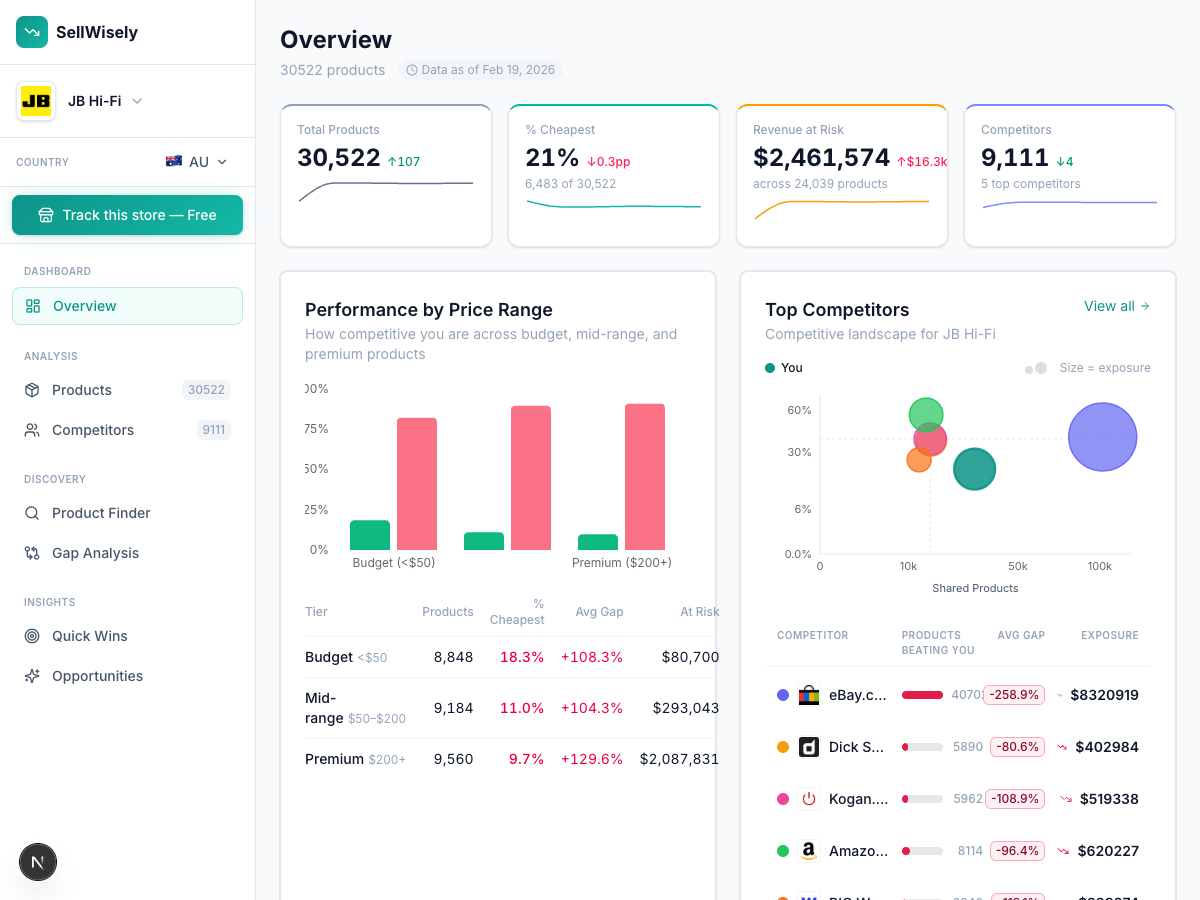
Pre-collected data platforms like SellWisely work on a fundamentally different model. Instead of waiting for you to tell them what to monitor, they continuously collect pricing data from thousands of retailers — including Shopify stores, marketplaces like Amazon and eBay, and big-box retailers.
When you enter your store URL, SellWisely matches your products against its database of 5M+ products across 10,000+ retailers. No URL mapping. No competitor configuration. The matching happens automatically.
What this means for Shopify store owners:
- You see competitor prices within seconds of entering your URL — not after hours or days of setup
- Competitors you didn't know about surface automatically (other Shopify stores, marketplace sellers, big-box retailers carrying the same brands)
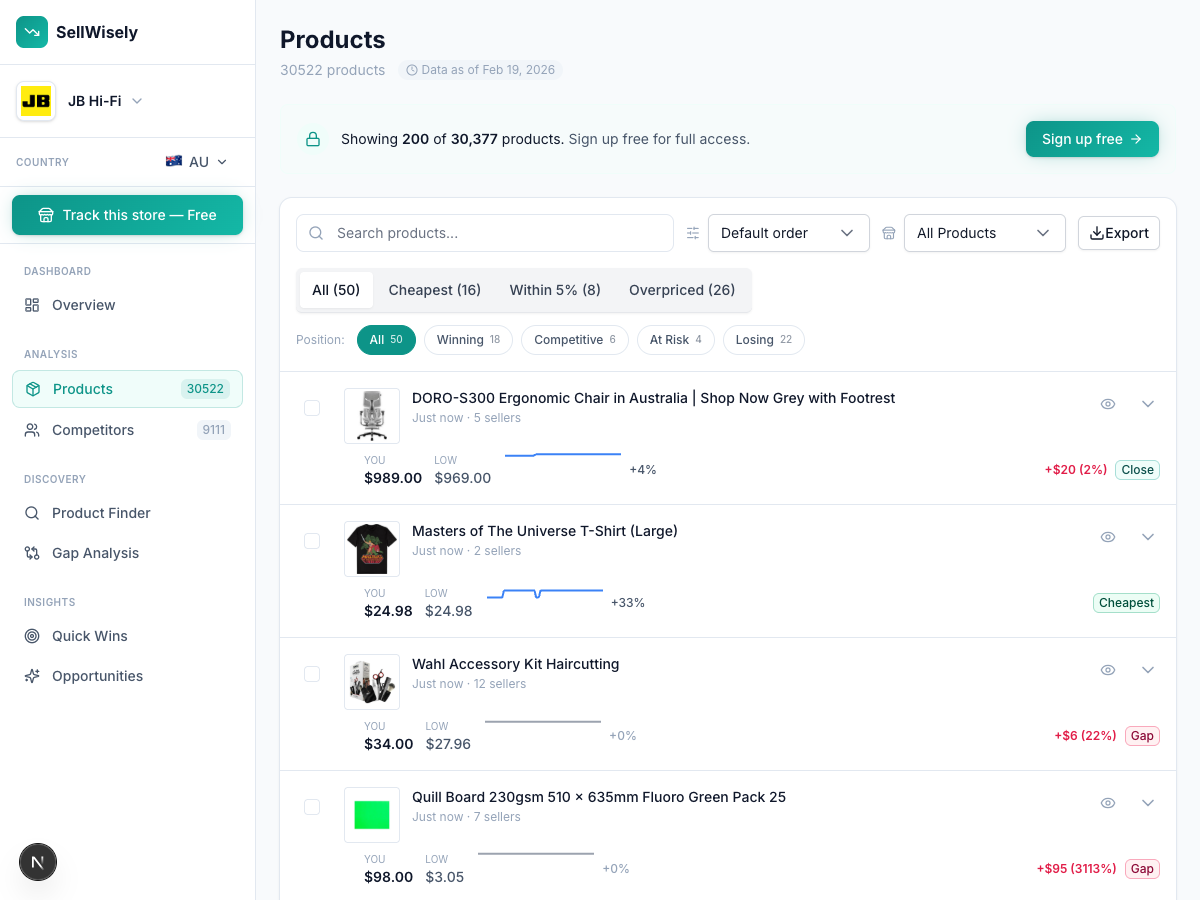
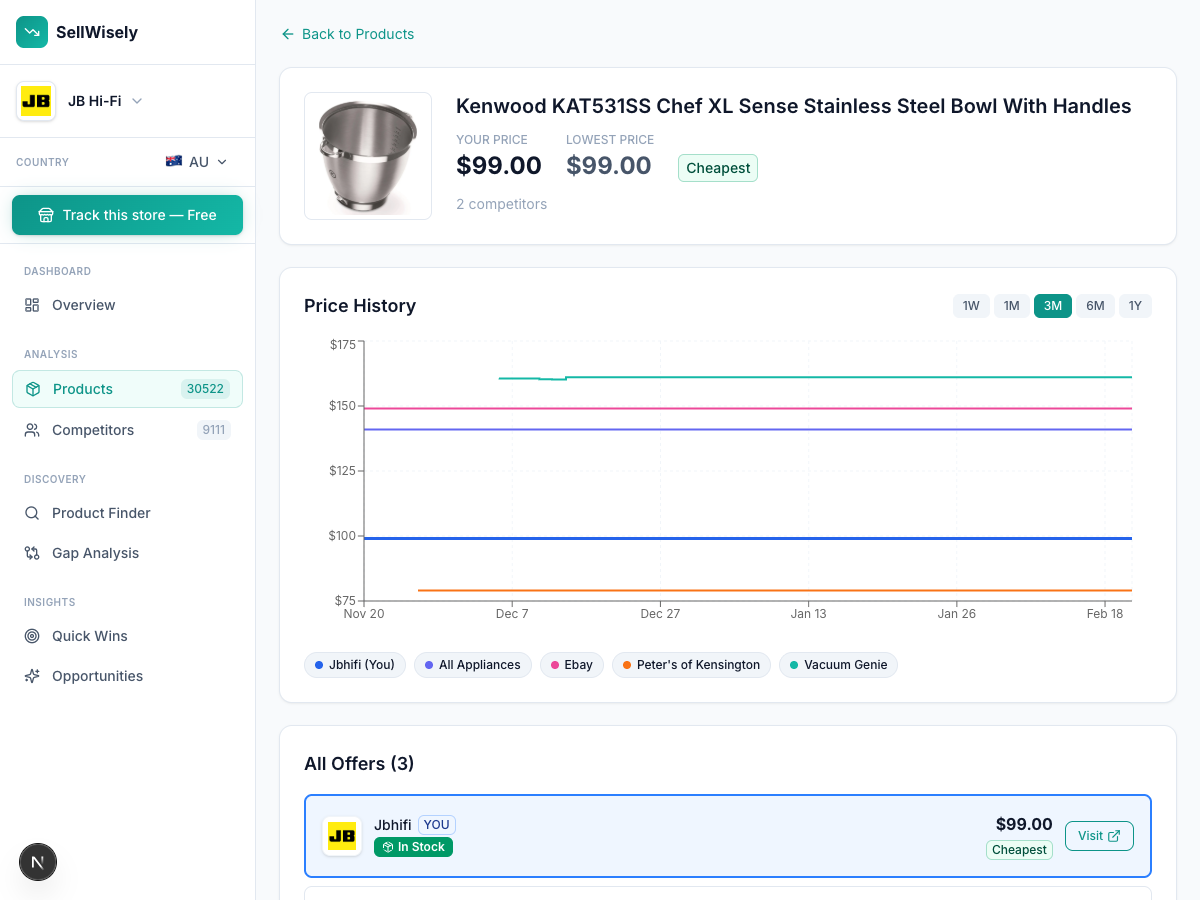
- 3 years of historical pricing data is available from day one, because the platform was collecting data long before your account existed
- Product gap analysis shows you what competitors sell that you don't — revealing expansion opportunities
The comparison:
| Capability | Shopify Apps (Prisync, etc.) | Pre-Collected (SellWisely) |
|---|---|---|
| Product import | Auto from Shopify | Auto from your store URL |
| Competitor setup | Manual URL mapping | Automatic matching |
| Time to first data | Hours to days | Seconds |
| Competitor discovery | Manual only | Automatic |
| Historical data | Starts at install | 3 years |
| Marketplace coverage | Limited | Amazon, eBay, marketplaces included |
| Free tier | 14-day trial | Forever free |
What to Track as a Shopify Store Owner
Regardless of which tool you use, here's what actually matters for Shopify pricing intelligence:
Your DTC Competition
Other Shopify stores and DTC brands selling the same or similar products are your most direct competitors — you're both fighting for the same customer through the same channels (Google Shopping, social ads, organic search).
Focus on their prices on your top 20% of products — the items that drive most of your revenue. Price movements on your bestsellers have the highest impact on your business.
The Marketplace Problem
If the brands you carry are also sold on Amazon and eBay, marketplace pricing puts a ceiling on your DTC prices. A customer who finds your product on Google will often check Amazon before buying. If Amazon is 15% cheaper, you need to know.
This is where most Shopify price monitoring apps fall short. They're designed for website-to-website tracking, not cross-channel monitoring.
Big-Box Pricing Pressure
For Shopify stores selling name-brand products (electronics, home goods, sporting goods), the real competitor is often JB Hi-Fi, The Good Guys, Harvey Norman, or their equivalents in your market. These retailers carry the same brands and have massive pricing power through supplier volume.
You probably can't beat their prices on every product. But knowing where your prices diverge — and by how much — lets you make informed decisions about where to compete on price and where to compete on service, curation, or niche expertise.
Setting Up Price Alerts That Matter
The temptation is to set alerts on everything. Resist it. Alert fatigue is real — if you get 30 price change notifications every morning, you'll start ignoring all of them.
Alert on your top revenue products. Any price change on your top 20 products by revenue is worth knowing about immediately. These are the items where competitive pricing directly affects your bottom line.
Alert on significant price drops only. A competitor dropping a price by $0.50 on a $200 product is noise. Set thresholds — alert when a competitor's price drops by 5% or more relative to yours.
Alert on out-of-stock events. When a competitor goes out of stock on a popular item, that's an opportunity to hold your price (no need to discount) or even raise it slightly if demand shifts to you. This is one of the highest-value alert types and one that most store owners overlook.
Don't alert on every competitor. Pick your 3–5 most important competitors and set alerts only for them. The fringe competitor with 10 products isn't worth your attention unless they're growing fast.
Pricing Your Shopify Products With Competitive Data
Having competitor pricing data is useful. Knowing what to do with it is more useful. Here are the practical applications:
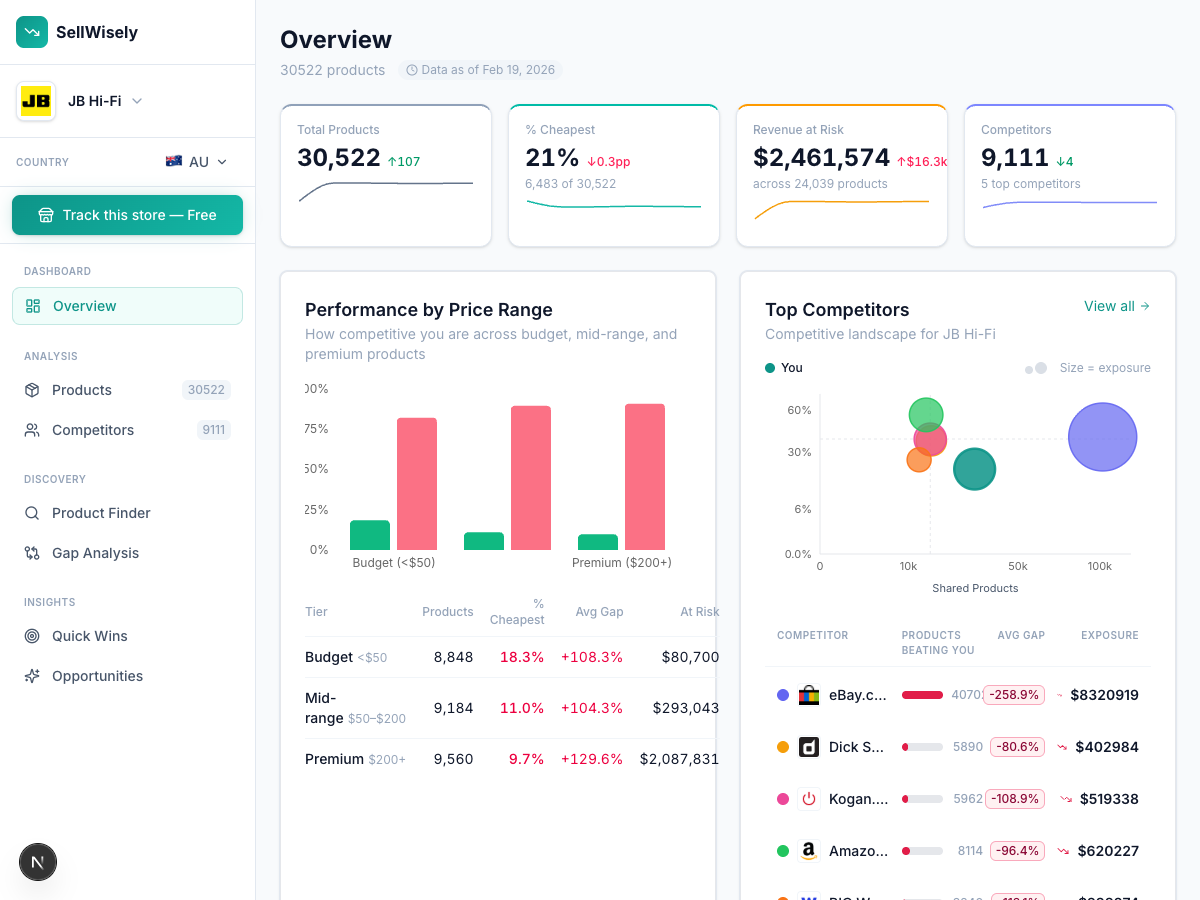
Identify your pricing position. On what percentage of your products are you the cheapest? The most expensive? Understanding your overall pricing position relative to competitors tells you whether you're a price leader, a mid-range player, or a premium option. Each position is valid — but you should be intentional about it.
Find margin opportunities. Products where you're significantly cheaper than all competitors are potential margin opportunities. If you're selling a product for $89 and every competitor charges $109–$119, you might have room to raise your price to $99 without losing sales.
Time your promotions. Competitor pricing history reveals promotional patterns. If you see that a key competitor runs 20% off sales every March and September, you can plan your own promotions to either match (compete head-on) or avoid (differentiate on timing).
Optimize product descriptions. When a competitor sells the same product for less, price isn't your only lever. Shopify product pages can emphasize value that justifies a higher price: better shipping terms, warranty, bundle options, or expertise-driven product descriptions that build trust.
A Practical Starting Point
If you're a Shopify store owner who isn't currently tracking competitor prices (and statistically, that's most of you), the lowest-effort starting point is a pre-collected platform.
Go to SellWisely, enter your Shopify store URL, and see what comes back. You'll see which competitors carry the same products, what they charge, and how their prices have changed over time. No installation, no Shopify app permissions, no CSV mapping.
Free Tier Value SellWisely's free tier: 50 products, $0/month, 10 seconds to first competitor data — no Shopify app installation needed.
If the data is useful, you can use the free tier indefinitely. When you want more products tracked or features like alerts and API access, paid plans start at $99/month.
If you prefer a Shopify-native solution and don't mind the manual setup, Prisync's Shopify app at $49/month is the most proven option, with 202 reviews and strong support ratings.
Either way, the cost of not tracking — missing competitor price changes, losing margin opportunities, stocking the wrong products — is almost certainly higher than the cost of any monitoring tool. The only question is how much friction you're willing to tolerate in getting started.
For more context on how competitor price tracking works across all methods, read our complete guide to tracking competitor prices. For a broader comparison of available tools, see our price monitoring tools comparison.
Running a Shopify store and want to see what competitors charge? Try SellWisely free — enter your store URL, get competitor prices instantly. No Shopify app install, no CSV, no setup.
Ready to track your competitors' prices?
Enter your store URL and see competitor prices instantly. No signup required.
Try SellWisely Free