How to Track Competitor Prices in 2026
Compare 4 methods for how to track competitor prices in 2026: spreadsheets, DIY automation, SaaS tools, and pre-collected data. Real costs and verdicts.
Four Methods to Track Competitor Prices — and When Each Works
There are four ways to track competitor prices in 2026: manual spreadsheets (free, under 30 products), DIY automation ($55–270/mo, under 100 products), traditional SaaS tools ($40–399/mo, 100–5,000 products), and pre-collected data platforms ($0–99/mo, any scale). The right choice depends on your product count, technical ability, and budget.
Between 60% and 70% of small retailers don't monitor competitor prices at all — not because they don't care, but because every method available until recently required more setup effort than the perceived payoff.
The Adoption Gap 60–70% of small retailers don't monitor competitor prices at all — not because of apathy, but setup friction.
That's changing. After analyzing 1,300+ reviews across 82 price monitoring tools and profiling every major competitor in the space, we've mapped out how each approach works, what it actually costs, and where it breaks down.
Method 1: Manual Tracking With Google Sheets
If you're tracking fewer than 30 products on zero budget, this is where most people start.
Open Google Sheets, create columns for each competitor, and manually check their websites to copy prices. Some retailers get clever with IMPORTXML formulas that pull prices directly from competitor pages.
The cost is deceptive — the software is free, but the time isn't:
- Time: 3–5 hours per week (150–250 hours per year)
- Opportunity cost at $50/hour: $7,500–$12,500 annually
The Hidden Cost of Manual Tracking Manual price tracking costs $7,500–$12,500 per year in opportunity cost alone.
IMPORTXML formulas fail 20–40% of the time when retailers redesign their pages. The breaking point hits around 30–50 products.
Spreadsheet Reliability ImportXML formulas used for DIY price tracking fail 20–40% of the time due to website changes. You miss price changes between your weekly updates. And you have zero historical data to spot seasonal trends.
We've talked to retailers who tracked prices manually for years before switching. The consistent theme: "I knew I was spending too much time on it, but the alternatives seemed worse." That's a fair assessment — until 2026.
It works as a starting point. It's unsustainable past 30 products.
Method 2: DIY Automation (n8n, Apify, Browse AI)
If you can build a workflow in n8n or configure a scraping robot in Browse AI, you can automate price collection. The sweet spot is 20–100 products with a budget under $300/month and enough technical comfort to debug when things break.
The appeal
The appeal is obvious: near-zero marginal cost per product, full control over what and when you scrape, and the satisfaction of building something yourself. The costs are less obvious:
| Cost Component | Monthly Range |
|---|---|
| Automation platform (n8n Cloud, Browse AI) | $0–$60 |
| Proxy service (Bright Data, Webshare) | $50–$200 |
| Cloud hosting (if self-hosted) | $5–$20 |
| Total platform cost | $55–$270/month |
| Initial setup time | 10–20 hours |
| Annual maintenance | 12–36 hours |
The number nobody mentions upfront is maintenance. Websites change their layouts. Anti-bot protections evolve. Scrapers that worked perfectly on Tuesday break on Wednesday. We've seen n8n community posts describing "8-hour debugging weekends" — a single incident that wipes out months of cost savings.
Where it breaks:
DIY automation has a scale ceiling around 50–100 products. Beyond that, you're spending more time maintaining scrapers than analyzing prices. n8n Cloud caps at 10,000 executions per month on the Pro plan, which isn't enough for 100 products with daily monitoring across multiple competitors. Browse AI's credit system means you're watching consumption numbers instead of competitor prices.
The deeper limitation
The deeper limitation: DIY gives you raw data, not intelligence. You get numbers in a spreadsheet. Product matching across retailers (is "Samsung Galaxy S24 Ultra 256GB Black" the same as "Samsung S24U 256 Black"?) is something you'd need to solve yourself.
Satisfying to build. Exhausting to maintain. And it tops out at 50–100 products before maintenance time eclipses the value.
Method 3: Traditional SaaS Tools (Prisync, Price2Spy)
Dedicated price monitoring SaaS like Prisync ($99–$399/month) and Price2Spy ($40–$158/month) have been the standard answer for mid-sized retailers with 100–5,000 products and teams that don't want to write code. They handle scraping, provide dashboards, and offer features like stock monitoring and repricing rules.
What you get:
- Dashboard with competitor price comparisons
- Daily to 3x-daily price updates
- Stock availability monitoring
- CSV exports and reports
- Customer support (Prisync and Price2Spy both score 4.7–4.8/5 on Capterra for support quality)
The setup reality:
This is where it gets friction-heavy. Every traditional SaaS tool requires you to manually configure what to track:
- Prepare a CSV file mapping your products to competitor URLs
- Upload it to the dashboard
- Wait hours for the initial crawl
- Discover 10–20% of URLs don't work
- Manually fix broken URLs
- Repeat step 4–5 periodically
We analyzed 1,300+ reviews across the top price monitoring tools. Setup friction appears in 70% of negative reviews. "Initial setup was a lot of work," "CSV mapping is tedious," "onboarding products is the most time-consuming aspect" — these are direct customer quotes from Capterra.
Pricing comparison:
| Tool | Entry Tier | Products | Free Trial |
|---|---|---|---|
| Prisync | $99/month | 100 products | 14 days |
| Price2Spy | $40/month | 500 URLs | 14 days |
| Competera | $500+/month | Custom | Contact sales |
| Intelligence Node | $5,000+/month | Custom | Contact sales |
Where it breaks:
14-day trials aren't long enough to validate ROI for many retailers. Per-product pricing creates anxiety about growth costs. And the fundamental requirement — that you must tell the tool exactly what to track — means you'll never discover competitors you didn't already know about. For retailers selling beyond Amazon across multiple channels, this limitation is especially significant.
Proven tools with real track records. But setup friction remains the Achilles heel of the entire category.
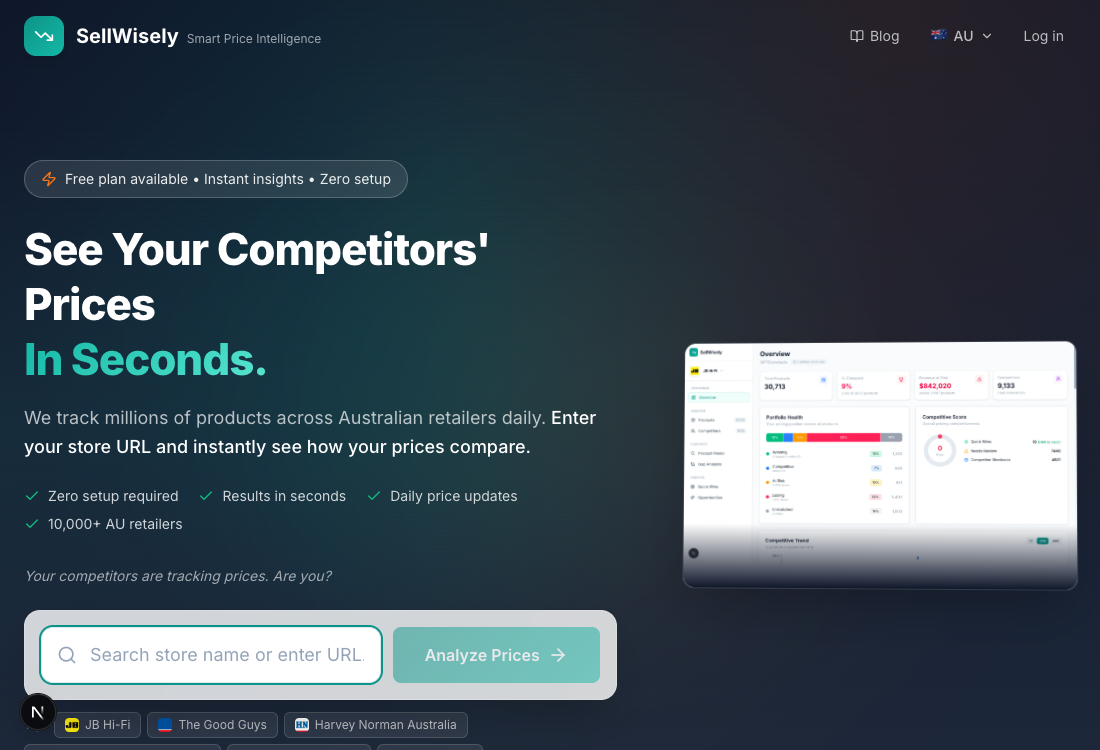
Method 4: Pre-Collected Data Platforms (Zero Setup)
This is the newest approach, and it works differently from everything above. It doesn't matter how many products you carry or how technical your team is. Instead of you telling a tool what to scrape, the platform has already collected pricing data from thousands of retailers before you sign up.
Think of it the way Ahrefs works for SEO data. Ahrefs doesn't wait for you to tell it which websites to crawl — it's already crawled billions of pages. You enter a URL and get instant insights. Pre-collected price monitoring works the same way.
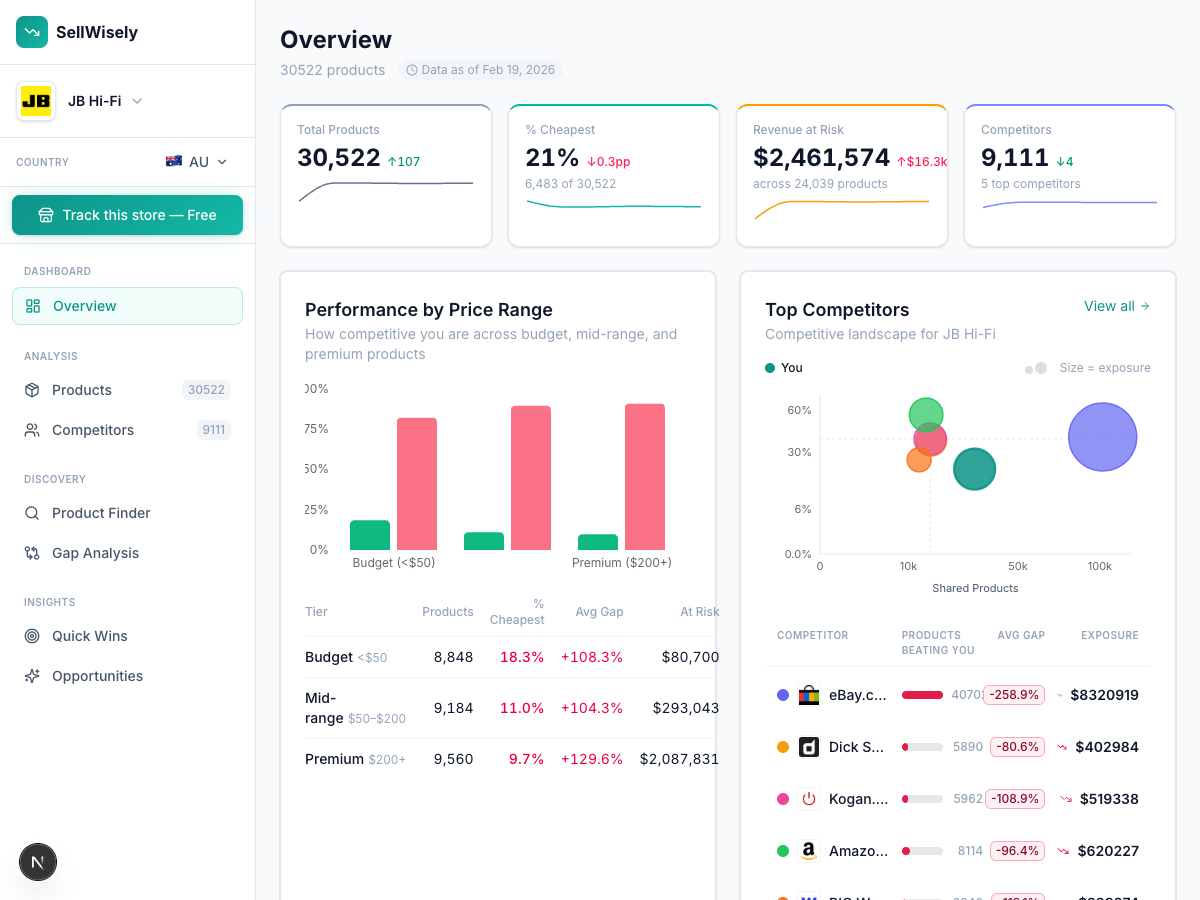
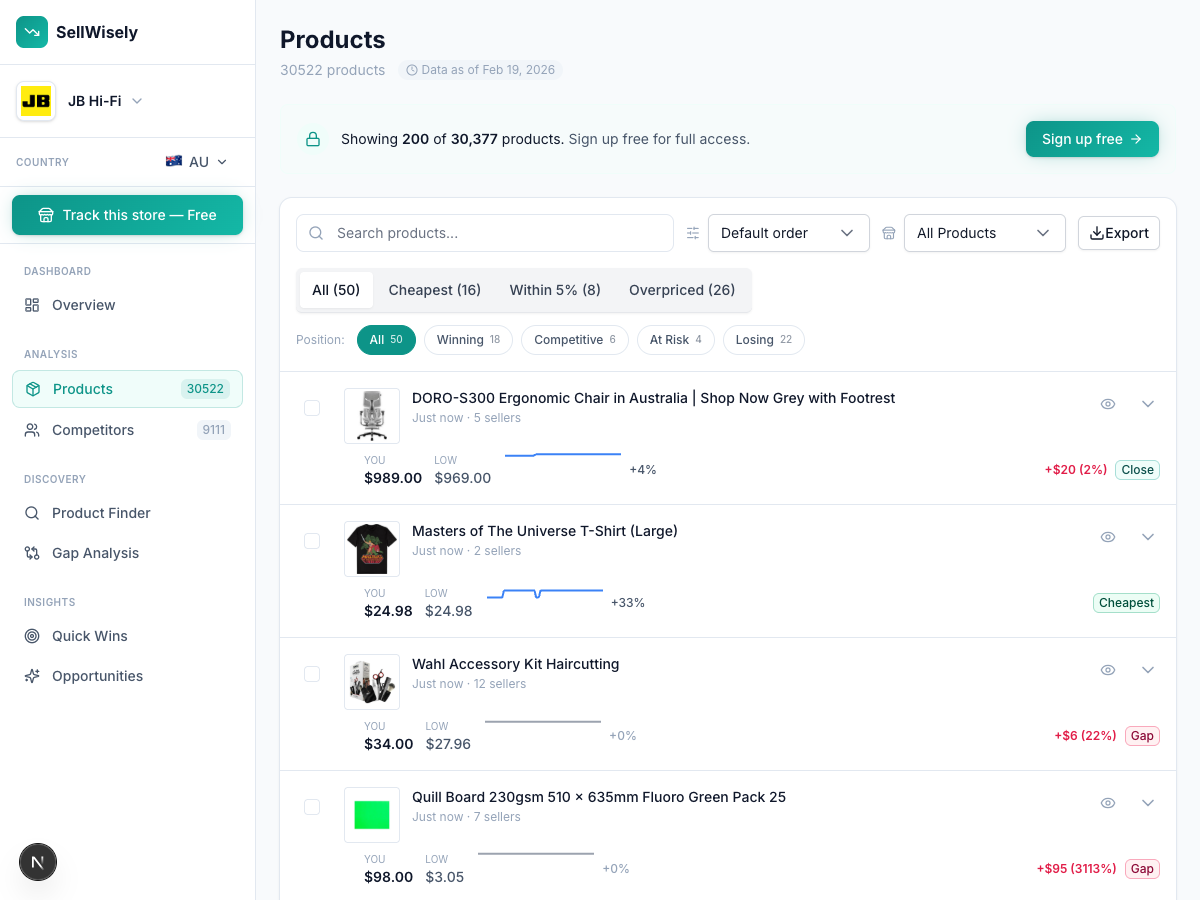
How it works with SellWisely:
- Enter your store URL
- SellWisely matches your products against its database of 5M+ products across 10,000+ retailers
- See competitor prices instantly — no CSV, no URL mapping, no waiting
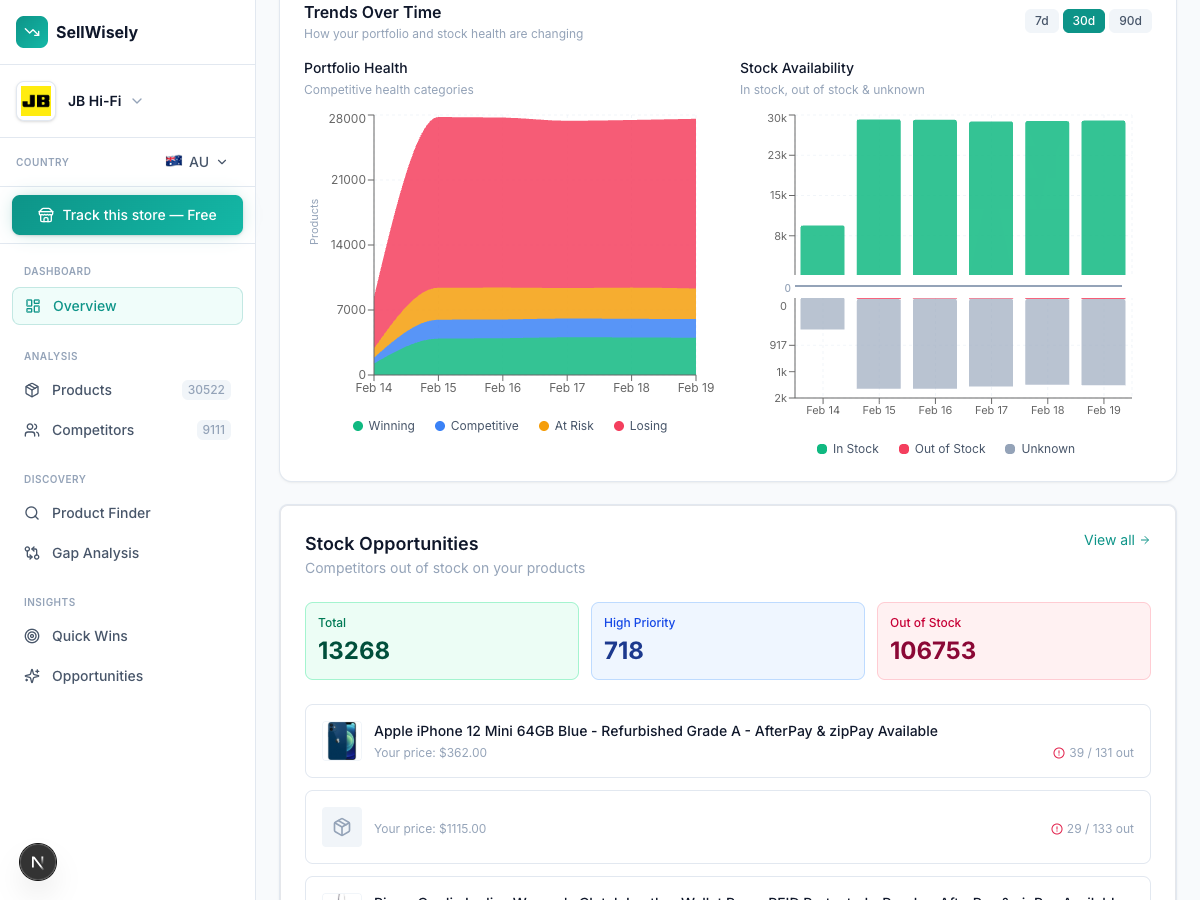
What you get:
- Zero setup time (seconds, not hours or days)
- 3 years of historical pricing data from day one
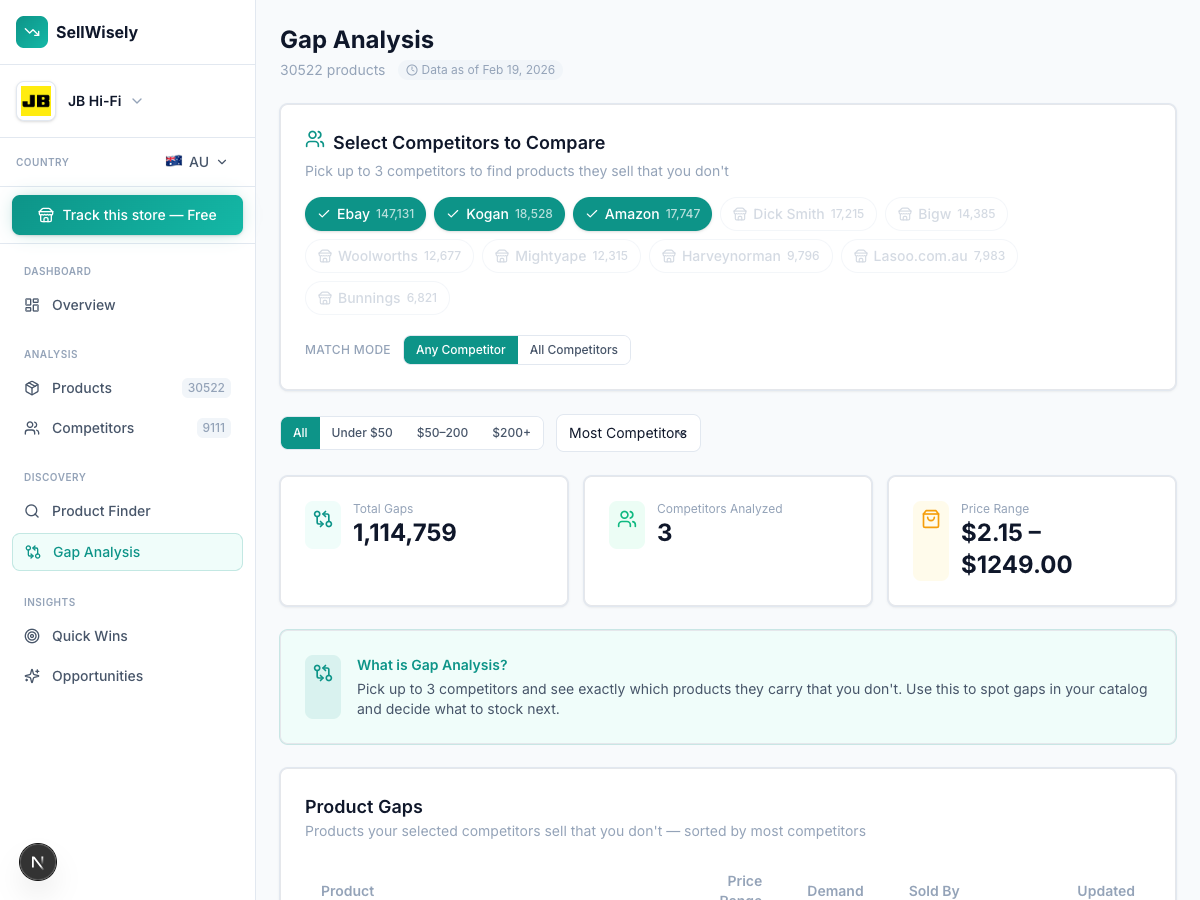
- Competitor discovery — find retailers selling your products that you didn't know about
- Product gap analysis — see what competitors sell that you don't
- Free tier available (no credit card required)
What's different:
The pre-collected model solves two problems that plague every other approach. First, you don't maintain anything — if a retailer redesigns their site, the platform handles it once for all users, not per-customer. Second, historical data exists before your account does. Traditional tools start collecting data when you sign up. Pre-collected platforms give you years of pricing trends on day one.
Trade-offs:
The coverage trade-off is real — pre-collected data only includes retailers already in the platform's database. If you need to track a niche competitor that sells exclusively through a single obscure website, they might not be covered. For broad retail categories (electronics, home goods, fashion, sporting goods), coverage is typically comprehensive. And for most retailers, eliminating the setup barrier matters more than tracking every last competitor.
Comparison: All 4 Methods Side-by-Side
| Factor | Manual (Sheets) | DIY Automation | Traditional SaaS | Pre-Collected |
|---|---|---|---|---|
| Setup time | Minutes | 10–20 hours | Hours to days | Seconds |
| Ongoing effort | 3–5 hrs/week | 1–3 hrs/month | 1–2 hrs/month | ~0 |
| Monthly cost | $0 | $55–$270 | $99–$399 | $0–$99 |
| Annual true cost | $7,500–$12,500 (time) | $660–$3,240 + 22–56 hrs | $1,188–$4,788 | $0–$1,188 |
| Product scale | 5–30 | 20–100 | 100–5,000 | Any |
| Historical data | None | None | Starts at signup | 3+ years |
| Product matching | Manual | Manual | Semi-automated | Automated |
| Maintenance | ImportXML breaks | Scrapers break | URLs break | Managed |
| Competitor discovery | No | No | No | Yes |
| Time to first insight | Same day | 1–2 weeks | 1–3 days | Under 1 minute |
| Technical skill required | Low | High | Low–Medium | None |
| Free tier available | Yes (Sheets is free) | Partial (self-hosted n8n) | No (14-day trials only) | Yes |
The "annual true cost" row is worth studying. Spreadsheets look free until you account for 150–250 hours per year at $50/hour. DIY automation looks cheap until you add maintenance hours (12–36 per year) to the platform and proxy costs. Traditional SaaS has transparent pricing but charges extra for features like API access (+20% on Prisync) and historical data (1-year history only on Prisync's $399/month Platinum tier). Pre-collected platforms front-load the infrastructure cost on their side, which is why the user-facing cost is lower.
One pattern stands out in that table: every method except pre-collected data has a maintenance line item. Spreadsheet formulas break when retailers redesign. Scrapers break when anti-bot protections change. Even SaaS tools require you to fix broken URLs — 10–20% of your configured URLs will stop working within the first few months, and nobody alerts you. Pre-collected platforms absorb that maintenance centrally. When a retailer redesigns their site, the platform fixes it once for every user, not per customer.
The other pattern: only one method gives you competitor discovery. Spreadsheets, DIY, and traditional SaaS all monitor competitors you already know about. You tell the tool what to track, and it tracks exactly that. Pre-collected data flips this — because the platform already has data from thousands of retailers, it can show you competitors selling your products that you didn't know existed. That's a fundamentally different capability.
Which Method Is Right for You?
Skip the generic advice. Here's a decision tree based on what actually matters — product count, technical ability, and how fast you need data. For a broader framework on turning pricing data into action, see our competitive intelligence guide for e-commerce.
Path 1: Under 20 products, zero budget
Start with Google Sheets. It's free, it works, and you'll learn what data actually matters to your pricing decisions. Create columns for each competitor, check prices weekly, record the numbers. You'll build an intuition for how competitors price that no tool can replace.
When you hit 30 products or start losing half a day per week to price checks, you've outgrown spreadsheets. That's your signal. Read our guide on when to stop using spreadsheets for price tracking for the specific warning signs.
Path 2: Technical background, 20–80 products, enjoy building
Try n8n or Apify. You'll learn how web scraping works, understand proxy rotation and anti-bot detection, and build something custom. The cost stays under $270/month if you manage proxies carefully.
Set a calendar reminder for 6 months out. Count your maintenance hours honestly. If you've spent more than 20 hours fixing broken workflows by that point, the math has turned against you. The good news: you don't have to throw away your automations. You can keep your n8n workflows and pipe data from an API instead of maintaining scrapers. Replace the fragile scraping step with a reliable data source, keep everything else.
This path teaches you a lot. But be honest about the 12–36 hours per year of maintenance. We've seen n8n community posts describing "8-hour debugging weekends" — a single incident that wipes out months of cost savings over a SaaS tool.
Path 3: 100+ products, team needs pricing data
Skip DIY entirely. Your team's hourly cost makes DIY maintenance irrational at this scale. The real question is whether your team can tolerate traditional SaaS setup friction.
If you have someone who can spend 1–2 days preparing a CSV file mapping your products to competitor URLs, uploading it, fixing the 10–20% of URLs that don't work on the first crawl, and repeating that process periodically — tools like Prisync and Price2Spy are proven. They have strong customer support (both score 4.7–4.8/5) and track records with hundreds of customers.
If your team doesn't have that patience, or if you want to see data before committing a full day to configuration, try a pre-collected platform first. SellWisely's free tier means zero financial risk. Enter your store URL and within a minute you'll know whether the coverage and data quality meet your needs. If they do, you've saved yourself a day of CSV mapping. If they don't, you've lost 60 seconds. If you're running a Shopify store specifically, see our Shopify price monitoring guide.
Path 4: Currently not tracking at all
You're in the majority. Between 60% and 70% of small retailers don't monitor competitor prices. The reason isn't apathy — it's that every method until recently required more effort to set up than the data seemed worth.
That calculus has changed. When setup takes 10 seconds and costs nothing, there's no rational reason not to at least look. Enter your store URL into SellWisely and spend two minutes browsing the results. If competitor pricing data doesn't tell you anything useful, you've confirmed your instinct. But most retailers who see the data for the first time have an immediate reaction: "I didn't know they were selling that product for $30 less than me."
Path 5: Already using a tool but frustrated
If you're paying for Prisync or Price2Spy and your biggest frustration is setup and URL maintenance, test a pre-collected platform alongside your current tool. Run them in parallel for a month. Compare coverage, accuracy, and how much time each one demands. You're not locked in — most price monitoring tools offer month-to-month billing with easy CSV export. Switching costs are low. Read our detailed comparison of Prisync vs SellWisely for a side-by-side breakdown.
The Real Competitor Is Inaction
After profiling 82 tools in this space, the biggest insight isn't about which tool is best. It's that non-consumption — choosing not to track competitor prices at all — is the dominant market behavior. Most retailers aren't choosing between Prisync and Price2Spy. They're choosing between tracking and not tracking.
Three barriers keep retailers from starting:
- Time — manual tracking costs 150–250 hours per year. That's 3–5 hours per week a business owner could spend on product sourcing, marketing, or customer service.
- Complexity — every traditional SaaS tool requires CSV mapping, URL configuration, and 1+ day before you see any data. 70% of negative reviews across the tools we profiled cite setup friction as their top complaint.
- Cost — enterprise-grade tools run $60,000+ per year. Even SMB tools start at $99/month, with no free tier to validate whether the data is useful before committing.
The cost of not tracking adds up fast, and the signals are clear. You miss pricing opportunities when competitors go out of stock. You don't notice gradual margin erosion as competitors undercut you by 2–3% every month. You can't spot seasonal patterns that would inform your own promotional calendar. You never discover that a competitor you'd never heard of is selling your exact products at a 15% discount. Our analysis of pricing data from 10,000+ retailers confirms these patterns across every retail category.
One Australian power tools retailer, Justtools, reported an $18,000 AUD monthly revenue increase after adopting price monitoring — a 38x ROI on their $119/month tool subscription. They also saved 30–40 hours per week that had previously gone to manual tracking.
Real ROI Justtools reported $18K AUD/month in additional revenue after adopting automated price monitoring — a 38x ROI.
That revenue wasn't new. It was revenue they'd been leaving on the table.
Getting Started Today
If you've read this far and you're not currently tracking competitor prices, the simplest possible next step:
- Go to SellWisely
- Enter your store URL
- See which competitors are selling your products — and at what prices
No credit card. No CSV upload. No 14-day trial countdown. Just data.
If you're already tracking manually and want to compare tools, read our comparison of the best price monitoring tools. And if you're still using spreadsheets but suspect you've outgrown them, here's how to know when it's time to stop.
Ready to see your competitors' prices? Try SellWisely free — enter your store URL, see competitor prices in seconds. No setup required.
Ready to track your competitors' prices?
Enter your store URL and see competitor prices instantly. No signup required.
Try SellWisely Free